AI Security Agents Can Patch Code. Who Approves?
· Hui Huang

Short answer: OpenAI’s Codex Security CLI can find a vulnerability, check the evidence, write a patch, and check whether the patch fixes it. It does not decide whether that patch ships. That stays with a named engineer, enforced by your branch protection. For most startups the right first move is a two-week, report-only trial on one repository, with a cost threshold and a written answer to “who approves?”
Most AI security tools stop at a flag. This one keeps going, and that changes what a technical leader has to decide before turning it on.
What does Codex Security actually do?
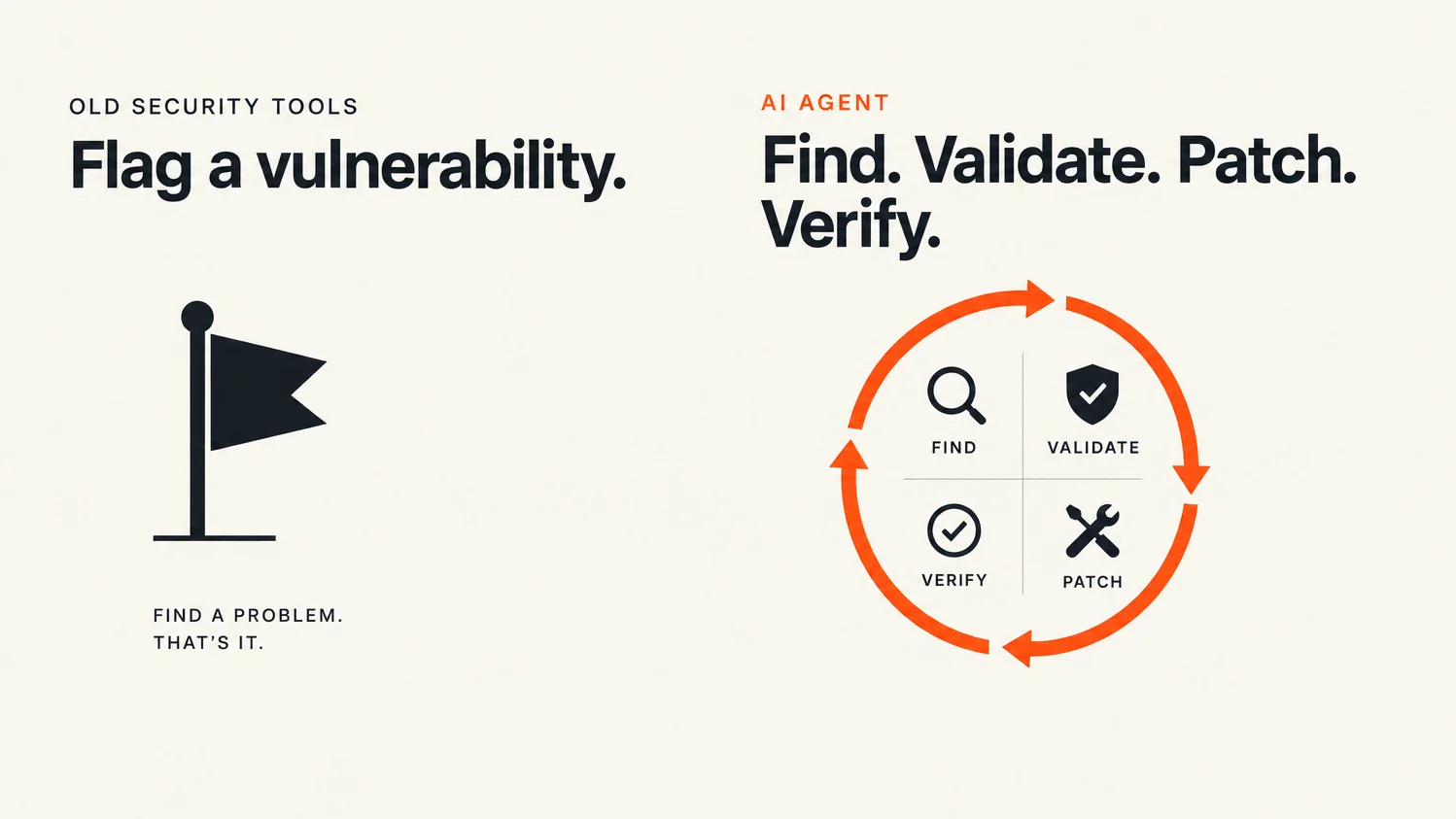
Codex Security is OpenAI’s tool for finding, validating, and fixing vulnerabilities. It comes as an open-source CLI and TypeScript SDK (the public npm package @openai/codex-security), a plugin inside Codex, and a GitHub Action. From a cold start, a first report takes three commands: npm install --global @openai/codex-security, cs login, and cs scan . from a repository you own.
The work runs as a loop, and each step has its own command:
- Scan. Find candidate issues across a whole repository, selected paths, or only a diff (the changes between two Git revisions).
- Validate. Check whether a candidate is real. The standalone
validatecommand reasons from source code. It skips builds, tests, and proofs of concept, so a validated finding is not the same as a reproduced exploit. - Patch. Write a fix.
patchedits files in your working tree, and with--create-prit commits the change and opens a draft pull request throughghorglab. - Verify.
verify-fixchecks a fix in a read-only sandbox and returnsfixed,still_vulnerable, orinconclusive, with evidence.
A finished scan leaves a Markdown report, findings.json, a scan-manifest.json recording scope and exclusions, and, for Standard, Deep, and Diff scans, a saved threat model. Results can be exported as SARIF (the standard format GitHub code scanning reads), JSON, or CSV.
The practical change is in the backlog. A pile of unread alerts becomes a queue of investigated items, each with evidence and maybe a proposed diff. That is more useful and more dangerous, because the agent now produces changes, not just complaints.
Who should approve AI-generated security patches?
An engineer who owns the affected code, named in advance. OpenAI’s own guidance says the decision to apply a change belongs to an engineer: inspect the finding and the proposed diff, decide, then verify the result.
The tool’s documented path for code ends at a draft pull request. Nothing in the docs merges a patch for you. The risk is not that the agent merges. It is that a tired reviewer approves a tidy diff with a confident summary, so the patch gets a rubber stamp instead of a review.
So write two names down before the trial:
- Patch approver. The code owner who reviews each security PR before merge. If you use CODEOWNERS, route the paths the scan covers to them.
- Policy owner.
cs policy .drafts aSECURITY.mdand saves it outside the repository, leaving existing files unchanged. Someone has to read the diff, edit it, and copy it in by hand. That matters because later scans readSECURITY.mdas guidance, so a careless policy edit changes what the scanner treats as in scope.
I made the same argument about how far to let an AI product act without a human in charge. A CLI and a Markdown report don’t change the deal. It is still about permissions, evidence, and who owns the result.
What permissions does it need, and what can it reach?
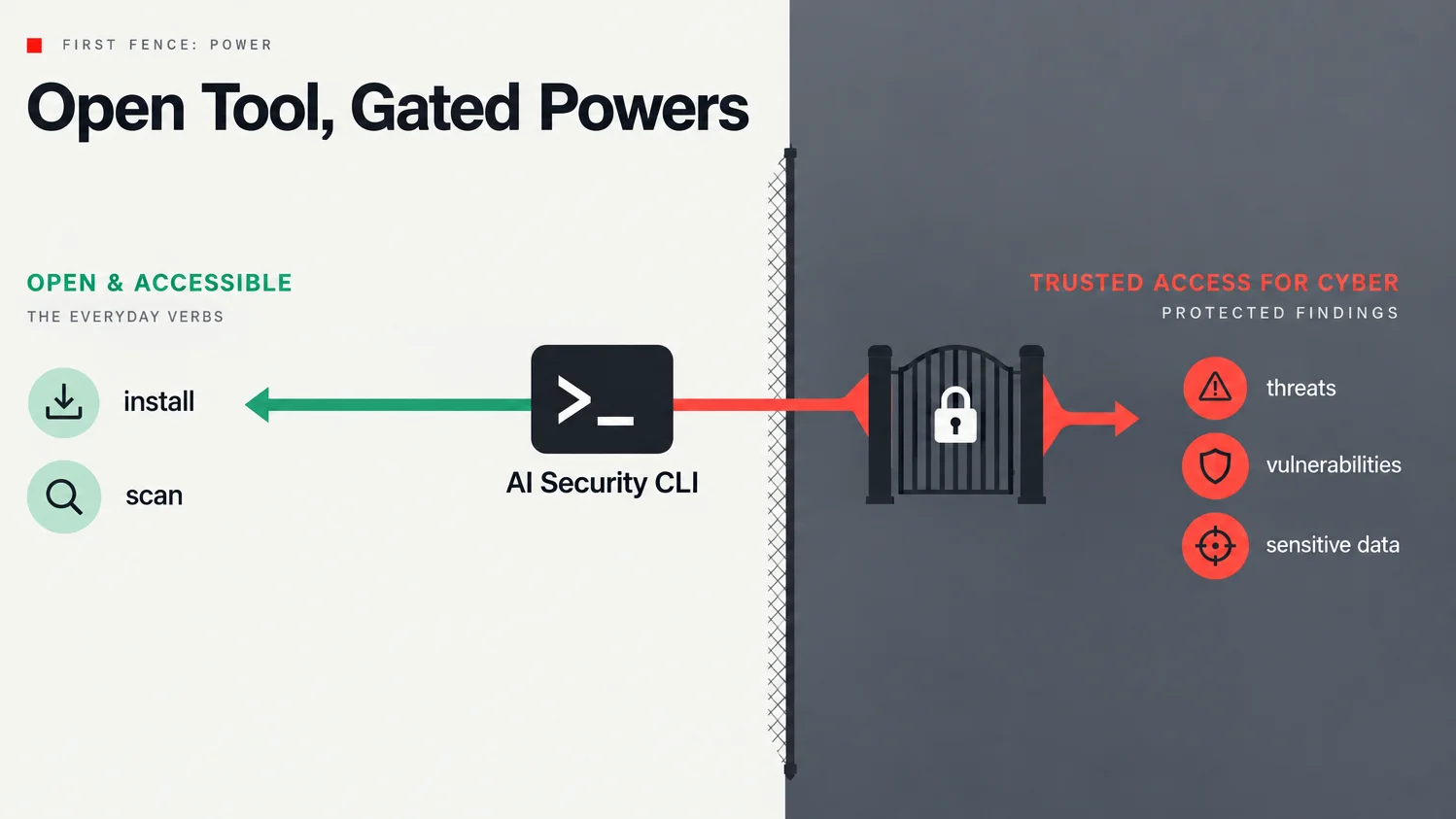
Two kinds of permission matter: what the scan process can touch on the machine, and what the model is allowed to help with.
On the machine. The docs are blunt here. The CLI runs with your operating-system permissions and does not pause for approval, and scan processes can inherit your environment. Treat a local scan like a privileged session. Remove unrelated credentials first, write results to a private directory outside the repository, and remember that reports, logs, and the live dashboard can contain source code or secrets.
In GitHub Actions, OpenAI’s examples grant contents: read, check out with persist-credentials: false, and run the scan right after checkout. The docs also say to run it only for repositories and pull requests you trust, and to keep deployment steps and unrelated credentials in separate jobs. Copy those defaults. Add security-events: write only if you upload SARIF.
On the model. Anyone can install the CLI, but running scans requires Codex Security access, and some cybersecurity requests and protected findings require Trusted Access for Cyber. OpenAI runs that as Daybreak, with two approval-based tiers. Daybreak Blue covers defensive work such as triage, secure code review, and patch validation, and OpenAI recommends it as the starting point for most security teams. Daybreak Red covers penetration testing and exploit validation and needs separate approval. A purchase does not guarantee access, and OpenAI says not to enable Daybreak for customer-facing or third-party traffic. If you get it, give it only to the roles doing security work, not the whole workspace.
Where should it sit in your CI pipeline?
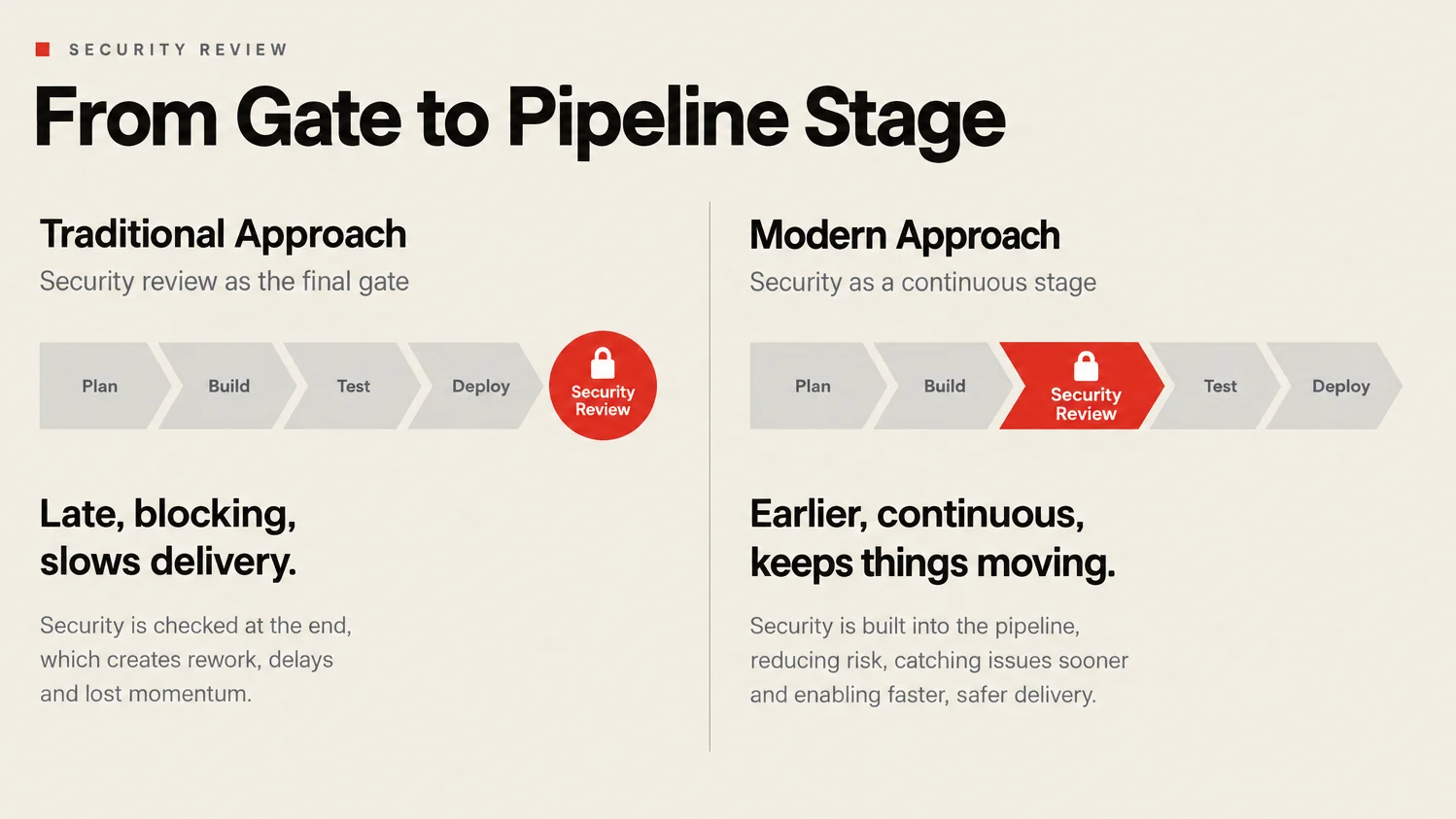
The GitHub Action supports two patterns, and they answer different questions.
Scheduled repository scan. A weekly scan of the default branch shows what is already in the codebase. OpenAI’s example runs Mondays and reports findings without failing the job (fail-on-severity: none). Start here.
Pull request diff scan. This scans only the change and can block a merge. The PR template fails on high or critical findings. To make that stick, require the matching check in branch protection. For a stricter setup, add the documented gate job that requires a completed scan. Know the edges: the job skips pull requests from forks, which then can’t pass the required check, and Dependabot PRs need their own copy of the API key secret.
Keep established scanners running. OpenAI positions Codex Security as a complement to deterministic tools, and it can also triage existing SARIF, Dependabot, and ticket backlogs, which is often a cheaper place to start than a fresh scan.
What does a “$5 scan” really cost?
max-cost is an estimated stop threshold in US dollars, not a price and not a hard cap. The Action README’s weekly repository example and the pull-request template both set max-cost: "5". (One version of the scheduled example in the Learn docs leaves it out, which means no limit.)
How it behaves, per the docs:
- The scan stops after estimated cost passes the limit, but requests already in flight can finish above it.
- Cost figures in the job summary are estimates, not billing totals.
- The limit needs pricing support for the model you pick. A model with no known price can’t use it.
- Some work sits outside it. Standalone
validatecalls are not cost-tracked, so--validatecan’t be combined with--max-cost, and post-scan prompts run after cost tracking ends. - A cost-limited scan saves findings but skips the interactive patch offer. You patch separately.
So “$5” is a budget you choose, not a quote. What it does show is that a weekly security pass can be a line in a workflow file instead of a request for a consultant’s calendar. Set a threshold on every automated scan, then compare it with your actual API bill after the first week.
How should you decide? A checklist for a 2-week trial
Use it when:
- You own the repository and have permission to assess it.
- You can name a code owner who will review every security PR.
- Your CI can run the scan in a job with no deploy credentials.
- You have a backlog of alerts nobody triages, or no regular security review at all.
Wait when:
- Most of your contributions come from forks, since the PR check skips them.
- You can’t get secrets out of the scan environment.
- Your data rules don’t allow sending source code to a model provider.
- Nobody owns the review. Then the scan is a faster way to produce unread findings.
Set up before day one:
- Patch approver and policy owner, named in writing.
- One repository, ideally one service, scanned weekly and report-only.
max-coston every automated run.contents: readpermissions and no deploy steps in the scan job.- Artifact retention that fits your code. The default is seven days.
Measure over two weeks:
- Findings your engineers confirm vs. dismiss.
- Patches by result:
verified,no_change,blocked, orfailed. - Reviewer time per security PR.
- Estimated cost per scan vs. your actual bill.
- Exclusions and deferred items in each manifest. Track them over time.
If confirmed findings beat dismissed ones and review time is tolerable, turn on the PR diff scan with a blocking threshold. If not, you’ve spent two weeks and a known budget learning that.
Why read the exclusions before the findings?
Because a clean report is not a clean bill of health. The docs say a completed scan means the requested workflow finished, not that every file or possible vulnerability was examined. Exit code 0 doesn’t prove full coverage either. Scans can finish with intentional exclusions, deferred work, and open questions, recorded in scan-manifest.json and the report.
That candor is unusual for a scanner, and it only helps if someone reads it. When a path you care about went unreviewed, the documented next step is a focused scan with --path and more context, not a rerun. Repeating the same scan doesn’t guarantee the gap closes.
FAQ
Is Codex Security free?
The npm package is public and open source. Scans run on your API key or ChatGPT sign-in and need Codex Security access, so model usage is billed. max-cost sets an estimated threshold, not a fixed price.
Will it merge patches on its own? Its documented patch path ends at a draft pull request. Merging is still your branch protection and your reviewer.
Does a validated finding mean it is exploitable? Not necessarily. Standalone validation reasons from source and skips builds, tests, and exploits. The docs say a source-based finding may not include a runtime reproduction.
Do we need Daybreak access to start? No. Standard access covers secure code review and patching. Daybreak Blue reduces refusals for approved defensive work, and it requires approval.
Does it replace our existing scanners? OpenAI positions it as a complement. It can import and triage SARIF, Dependabot, and other findings you already have.
Run one scan, then name the gate
This week, pick one repository you own. Run cs scan ., read the exclusions, then read the findings. Before you turn on the Action, write down who approves the patch and who owns SECURITY.md.
The agent can run the loop now. If nobody owns the approval, all you have is a fast suggestion engine.